What Are Device Management Services?
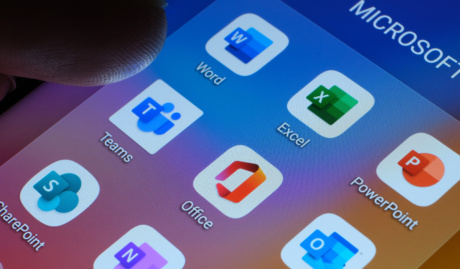
Device management services take ownership of every computer your business runs: procurement, standard builds, enrolment, patching, security policy and eventual retirement, handled as one continuous lifecycle rather than a series of one-off jobs. Mostly built on Microsoft Intune, which many businesses already license without using.
The visible result is consistency: every machine set up the same way, patched on the same schedule, and replaceable without drama because nothing important lives only on it.
Why Are Device Management Services So Important?
Unmanaged fleets drift: every laptop slightly different, updates applied when someone remembers, and nobody quite certain what would happen if a device went missing. Management replaces that drift with a standard. Here is what ours covers.
Compliance enforced per device
Policies check that every device is encrypted, patched and screen-locked before it touches company data, and block the ones that fail. A lost laptop becomes a remote wipe and a spare from the cupboard, not a data incident with a report attached.
A fleet you can actually see
Management gives you an accurate answer to questions most businesses guess at: how many devices exist, who has them, what state they are in, and which are due for replacement. Warranty dates and refresh budgets stop being archaeology.
Machines that stay fast enough
Devices get slower quietly, and staff rarely complain until the frustration is chronic. Monitoring surfaces the machines that are struggling, so upgrades and replacements happen on evidence, before performance costs more than hardware.
Why Choose Grassroots IT?
We manage device fleets for businesses where computers live hard lives: site offices, vehicles, warehouses and home desks, not just headquarters. Standard builds, spares strategies and remote management matter more when the nearest technician is hours away, and that is the fleet we design for.
The Grassroots IT Difference
With Grassroots IT as your IT solutions partner, you’ll benefit from:
Dedicated Account Manager
Receive a dedicated Account Manager who will understand your needs and offer ongoing, attentive service.
Direct Access To Solution Specialists
Need specialist advice? Tap into our expert guidance instantly with specialists who are trained to help resolve your urgent IT issues either remotely or in person.
Extended Helpdesk Hours
Need support? Our dedicated IT Help Desk is available even beyond business hours, providing our clients peace of mind.
On-Call Emergency Support
Genuine emergencies do not keep office hours. Beyond our extended-hours helpdesk, an on-call arrangement covers urgent after-hours issues, and automated monitoring runs continuously in the background.
Australia-Wide Onsite Support
Our IT Field Services support staff are located all across Australia, to ensure we can assist you whenever and wherever you need us.
Dedicated Onboarding Team
We believe that a strong partnership should be defined from the very beginning, which is why we offer you a specialised team to assist with onboarding.
Frequently Asked Questions
How do you handle security when it comes to device management?
Every managed device is enrolled in Microsoft Intune with encryption on, screen locks enforced, patches applied on schedule and endpoint protection reporting in. If a laptop goes missing, it can be locked or wiped remotely, and because everything is enrolled, we can prove the fleet’s state whenever an auditor or insurer asks.
What devices can Grassroots IT manage?
Windows and Mac computers, iPhones, iPads and Android devices, plus the meeting-room and shared hardware that usually escapes management. Company-owned and BYOD devices are handled differently, full management for the first, a protected work profile for the second, so personal phones stay personal.
How often are devices monitored and updated?
Monitoring is continuous and automated; updates roll out on a schedule, typically security patches within days of release, tested against your environment first. Users see a polite restart prompt rather than a surprise, and we see a dashboard confirming the whole fleet is current.