What Is Microsoft Power Automate?
Microsoft Power Automate, formerly Microsoft Flow, connects the systems your business already uses and moves work between them without anyone writing code. A form submission becomes a record, an approval and a notification. An invoice lands, gets filed and appears in the right report.
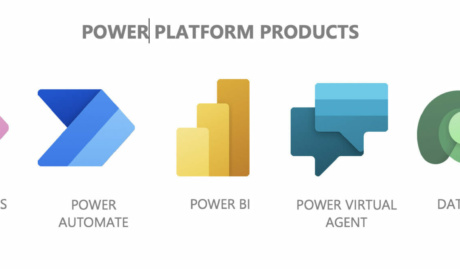
The building blocks are simple: triggers, actions and hundreds of connectors spanning Microsoft 365 and third-party platforms. What separates a demo from a dependable business process is how those blocks get put together, and that is where support earns its place.
How Can Microsoft Power Automate Support Help me?
Because the automations that matter are the ones still running a year later. Plenty of businesses have a graveyard of flows that worked until their author left or a connection silently expired. Our Power Automate support keeps your automations alive, monitored and improving. Here is what that involves.
Flows built to survive their author
We build automations with service accounts rather than personal logins, error handling that alerts someone when a step fails, and documentation that lets the next person understand what runs and why. From simple approval flows to Power Automate desktop automations, the standard is the same: it should outlive whoever built it.
Finding the processes worth automating
The best candidates rarely announce themselves. We look for the work that crosses systems and gets done by copy-paste: rekeying between spreadsheets and line-of-business platforms, chasing approvals by email, assembling the same report every month. Automating those returns hours to your team every single week.
Governance before the flows multiply
Power Automate can move data to hundreds of external services, which is powerful and worth controlling. We configure data loss prevention policies that decide which connectors may be combined, keep flows running under appropriate accounts, and review what exists so automation grows deliberately instead of wildly.
Why Choose Grassroots IT?
Automation sits at the heart of our Grassroots Digital practice, so Power Automate is not a sideline for us: we build and support flows for our clients and run our own operations on them. That day-in, day-out exposure is what you want behind a process your team depends on.
The Grassroots IT Difference
With Grassroots IT as your IT solutions partner, you’ll benefit from:
Dedicated Account Manager
Receive a dedicated Account Manager who will understand your needs and offer ongoing, attentive service.
Direct Access To Solution Specialists
Need specialist advice? Tap into our expert guidance instantly with specialists who are trained to help resolve your urgent IT issues either remotely or in person.
Extended Helpdesk Hours
Need support? Our dedicated IT Help Desk is available even beyond business hours, providing our clients peace of mind.
On-Call Emergency Support
Genuine emergencies do not keep office hours. Beyond our extended-hours helpdesk, an on-call arrangement covers urgent after-hours issues, and automated monitoring runs continuously in the background.
Australia-Wide Onsite Support
Our IT Field Services support staff are located all across Australia, to ensure we can assist you whenever and wherever you need us.
Dedicated Onboarding Team
We believe that a strong partnership should be defined from the very beginning, which is why we offer you a specialised team to assist with onboarding.
Frequently Asked Questions
Why should I choose Grassroots IT for Power Automate support?
Because flows built in isolation become fragile in a very predictable way: the person who built one leaves, a connection quietly expires, and a process everyone relies on simply stops with nobody noticing for weeks. We build automations with service accounts rather than personal logins, error handling that tells someone when a flow fails, and documentation so the automation outlives its author.
Is my data secure with Power Automate?
Flows run under your Microsoft 365 security, so a flow can only reach data its owner could reach anyway. The point to watch is connectors: Power Automate can move data out of your tenant to hundreds of external services, which is powerful and worth governing. Data loss prevention policies control which connectors may be combined, and we set those before the first flow ships, not after.