What Is Microsoft Teams Phone?
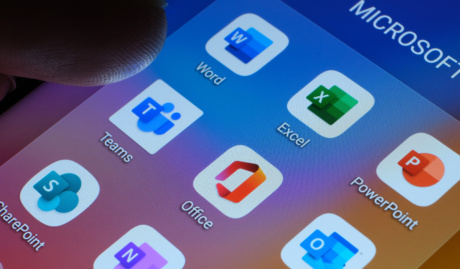
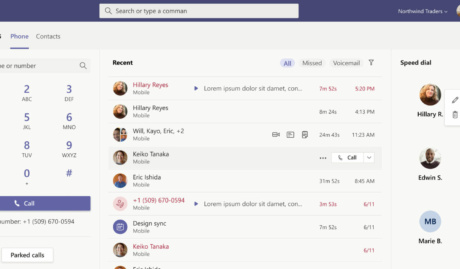
Microsoft Teams Phone, also called Teams Calling, adds a full business phone system to the Microsoft Teams app your team already uses: real phone numbers, call queues, auto attendants and voicemail, running on your Microsoft 365 tenant. A customer dials your number; it rings in Teams on whichever device is closest.
For businesses already living in Teams, it removes an entire platform: one less system to license, secure and teach people to use.
How Can Microsoft Teams Phone Support Help me?
Because a phone cutover is one of the few IT changes every customer notices if it goes wrong. Licensing, call flows and number porting each have their traps, and we have stepped around them before. Here is what our Teams Phone support covers.
One licence replaces a phone bill
Teams Phone rides on your Microsoft 365 licensing with calling plans sized to actual usage, which for most businesses lands well under a traditional phone system once line rental and PBX maintenance disappear. We size the plans and trim what goes unused.
Calling where your team already works
Calls, chat, meetings and files share one window and one contact list, so transferring a caller to a colleague or turning a call into a screen-share is a click rather than a workaround. We configure queues and auto attendants around how your business actually answers.
Governed by your existing tenant security
Calls inherit the Microsoft 365 security you already enforce: the same identity, multi-factor authentication and compliance controls that protect your email protect your calling. No separate phone platform with its own admin passwords and its own patching schedule.
Why Choose Grassroots IT?
We run our own calling on Teams Phone and manage the Microsoft 365 environments it depends on for clients every day. Phone systems, identity and network sit with one team, so call quality problems get diagnosed across the whole stack instead of bounced between a telco and an IT provider.
The Grassroots IT Difference
With Grassroots IT as your IT solutions partner, you’ll benefit from:
Dedicated Account Manager
Receive a dedicated Account Manager who will understand your needs and offer ongoing, attentive service.
Direct Access To Solution Specialists
Need specialist advice? Tap into our expert guidance instantly with specialists who are trained to help resolve your urgent IT issues either remotely or in person.
Extended Helpdesk Hours
Need support? Our dedicated IT Help Desk is available even beyond business hours, providing our clients peace of mind.
On-Call Emergency Support
Genuine emergencies do not keep office hours. Beyond our extended-hours helpdesk, an on-call arrangement covers urgent after-hours issues, and automated monitoring runs continuously in the background.
Australia-Wide Onsite Support
Our IT Field Services support staff are located all across Australia, to ensure we can assist you whenever and wherever you need us.
Dedicated Onboarding Team
We believe that a strong partnership should be defined from the very beginning, which is why we offer you a specialised team to assist with onboarding.
Frequently Asked Questions
What is the difference between Teams Phone and other VoIP platforms?
Teams Phone lives inside the app your team already spends the day in, so calling stops being a separate system with a separate login and becomes another button in Teams. Licensing and numbers ride on your Microsoft 365 tenant. The trade-off: dedicated call-centre platforms still offer deeper queueing and reporting, so businesses running serious contact-centre operations should weigh that before choosing.
How difficult is the transition to Teams Phone?
The long pole is number porting, which runs on carrier timeframes rather than ours, so we start that paperwork first. Everything else, licensing, call queues, auto attendants and routing, gets built and tested ahead of time in your tenant while the old system keeps working. Done in that order, cutover day is a port completing, not a phone system being rebuilt under pressure.